How a Router Failure Crashed the FAA: Lessons for Your Network
Learn why a faulty router brought down FAA systems, and how to prevent similar infrastructure failures in your business through testing and rollback planning.
What Happened
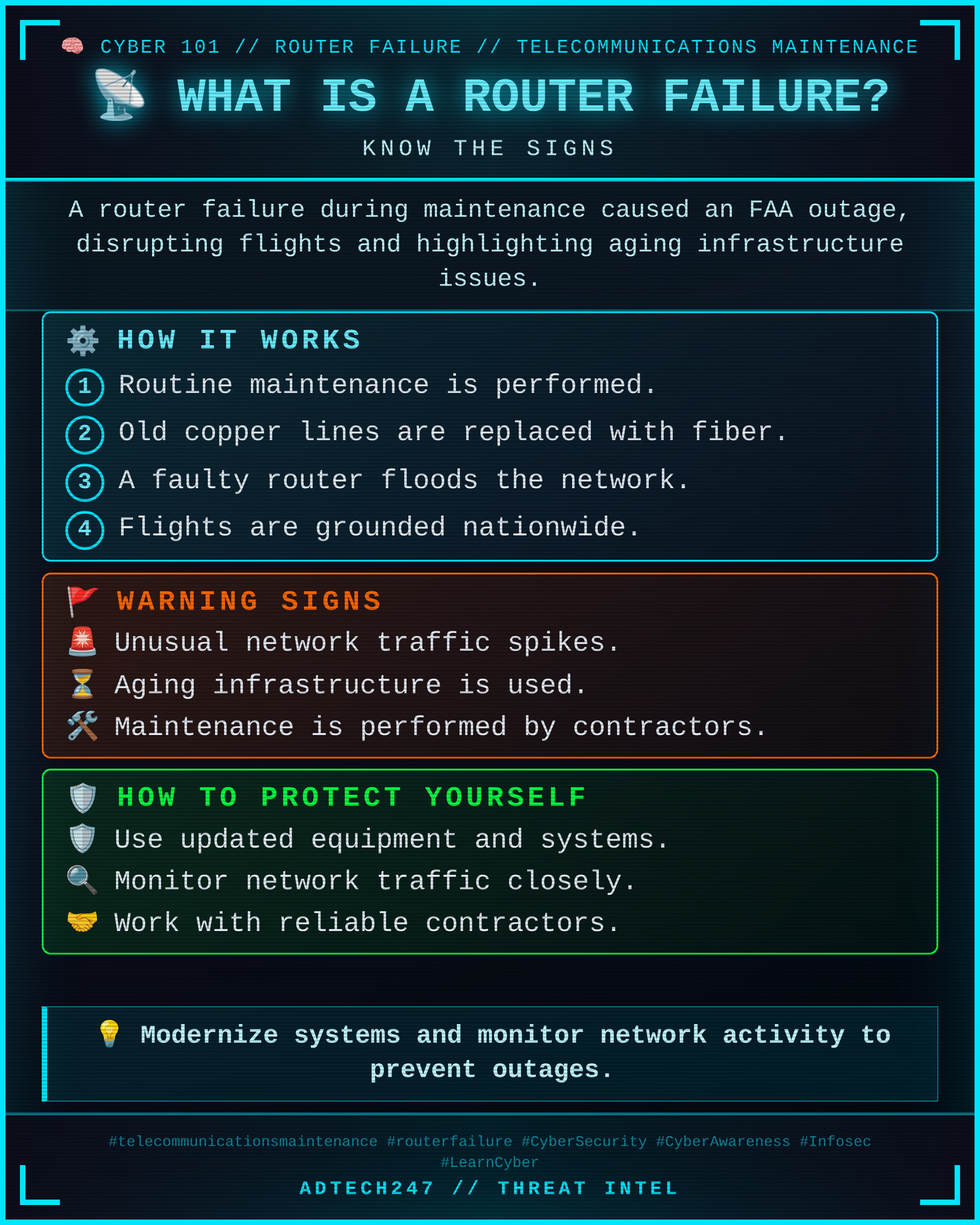
In a real-world example of how one piece of faulty equipment can paralyze critical infrastructure, a router failure during routine network maintenance caused a nationwide FAA ground stop. The router malfunctioned while IT teams were upgrading the FAA's telecommunications infrastructure from copper to fiber-optic lines. Instead of handling traffic normally, the device flooded the network with over 1,000 connection attempts every 4–5 seconds, overwhelming the system and forcing authorities to halt all aircraft departures.
This wasn't a cyberattack. It was a hardware failure during what should have been a controlled maintenance window. Yet the damage was severe enough to disrupt air traffic across the entire United States.
How the Attack Works (Or in This Case, How Equipment Fails)
When a router malfunctions, it can behave unpredictably. In this incident, the faulty device entered a state where it repeatedly tried to establish connections at an abnormal rate. Each attempt consumed network resources. With thousands happening per minute, the system became overloaded—unable to process legitimate traffic.
This type of failure is sometimes called a denial-of-service condition, even though no attacker intended it. The result is identical: your network stops working.
What made this worse:
- No pre-deployment testing: The router likely wasn't fully tested in a live environment before being deployed to a critical system.
- No rollback plan: Teams didn't have a documented, practiced procedure to quickly revert to the previous setup.
- Contractor involvement: Equipment installation by outside parties without clear verification of qualifications or oversight.
Warning Signs
Before a network incident becomes critical, watch for these red flags:
- Unexpected connection spikes: Sudden increases in connection attempts or failed authentications from internal devices.
- Network slowdowns: Legitimate traffic crawling despite normal usage patterns.
- New equipment behaving oddly: After installing or updating a router, switch, or firewall, monitor its logs closely for the first 24–48 hours.
- Maintenance windows without a safety plan: If IT staff can't describe how they'll roll back a change, it shouldn't go live.
- Contractor hand-offs with no verification: Equipment installed and left without your team testing it first.
How to Protect Yourself
Your business depends on reliable network infrastructure. Use these steps to prevent similar failures:
Before Any Infrastructure Change:
- Test all network equipment in a lab environment that mirrors your production setup. Run it for at least 24–48 hours under realistic load.
- Document a rollback procedure in writing. Know exactly what will be done and in what order if something goes wrong.
- Verify contractor qualifications and require them to follow your testing protocol before final handoff.
- Schedule maintenance during low-traffic windows, and have IT staff standing by to monitor the entire change window.
During Maintenance:
- Assign one person to monitor network health metrics in real-time (packet loss, CPU load, connection counts).
- Keep communication open between IT and business leadership so decision-makers know when to trigger a rollback.
- Avoid stacking multiple changes at once. Deploy one piece of equipment, test, verify stability, then move to the next.
After Deployment:
- Monitor new equipment closely for the first week. Watch logs for errors or unusual patterns.
- Run post-incident reviews even when changes succeed. Document what went right so you can repeat it.
The 30-Second Version (SMART)
- Simple: A faulty router sent thousands of connection requests per minute, overloading the FAA network during maintenance.
- Meaningful: Equipment failures during network changes can be as damaging as cyberattacks—they just aren't intentional.
- Actionable: Always test infrastructure changes in a lab, document rollback procedures, and monitor the first 24–48 hours closely.
- Relevant: Any business relying on network uptime should apply these lessons before the next maintenance window.
- Timely: Review your current change-management process today. You likely have changes planned in the next quarter.
FAQ
What's the difference between this and a cyberattack?
In a cyberattack, someone deliberately sends malicious traffic to overwhelm a network. Here, the router itself was broken—it generated the traffic unintentionally. Both cause denial of service. Both bring networks down. Prevention and recovery are similar: good testing, monitoring, and rollback procedures protect against both.
How do we know if our contractors are qualified?
Ask for references and verify them. Require contractors to follow your documented procedures, not just their own. Have your IT team witness the installation and run tests before accepting handoff. If a contractor is unwilling to follow your process, reconsider hiring them.
Do we really need a rollback plan for every network change?
Yes. If you can't quickly undo a change, you can't safely make it. Even "routine" upgrades can fail. A rollback plan doesn't have to be complex—it's often just: "We switch back to the old router, verify traffic flows, then investigate." Document it, practice it once a year, and your team will execute it calmly if needed.
Get a lesson like this every weekday.
Daily threat briefs, mini-lessons and infographics for defenders, small businesses and anyone who wants to stay a step ahead.
Keep reading
-
N-central Zero-Day: What MSPs and Their Clients Need to Know
Learn about the 4EverAble2Shell and Agent2Shell exploits targeting N-central, how they work, and what to do right now.
ThreatIntel -
Notepad++ 8.9.9: Six Vulnerabilities Patched—What You Need to Do
Learn about six security flaws in Notepad++ affecting Windows message handling and plugins, and how to protect your systems today.
ThreatIntel -
How AI-Powered Hacking Exploits Work & What to Watch For
Learn how attackers use AI agents to automatically find and exploit software vulnerabilities faster than ever—and what your business can do about it.
Threat Detection