How to Detect AI Browser Bots on Your Website
AI bots now run full browser sessions that look human. Here are five behavioral red flags that give them away, and what to do about them.
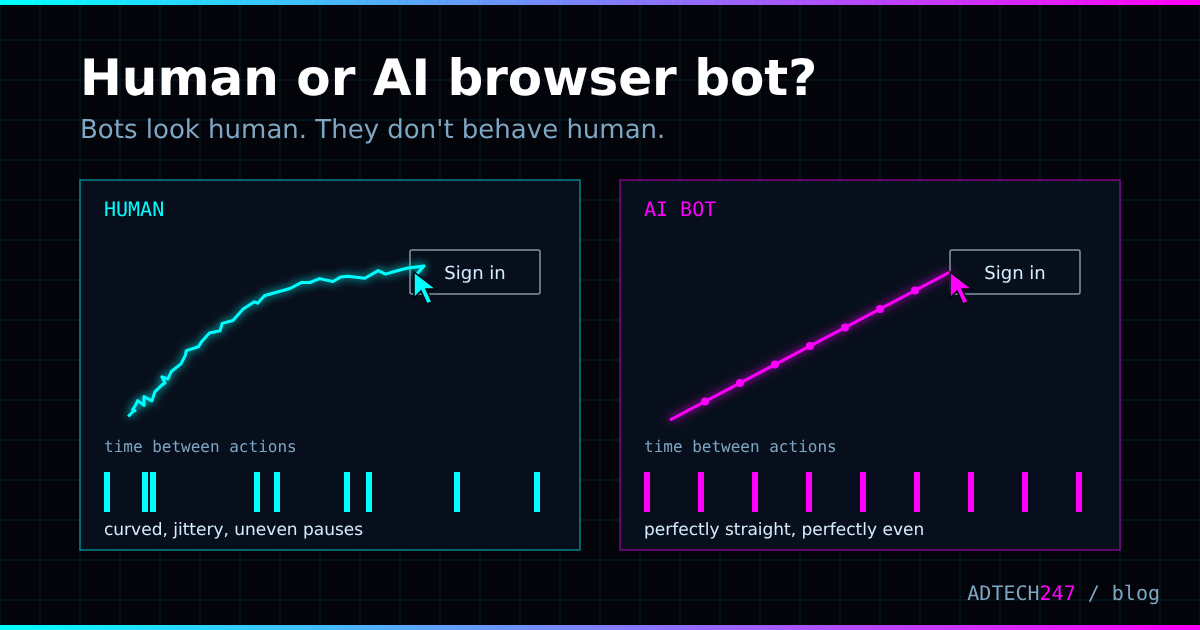
Bots used to be easy to spot. They were simple scripts hammering your login page or API, with no browser, no JavaScript and no mouse. Basic bot protection caught most of them.
That's changed. AI-driven browser agents now run real browser sessions: they load your pages, run your JavaScript, move the mouse, scroll and click. They're built to look human. But they still don't behave human, and that's how you catch them.
Why this matters
Bots that pass as people can:
- Stuff stolen passwords into your login page (credential stuffing)
- Create fake accounts or abuse free trials and promo codes
- Scrape your pricing, content or customer-facing data
- Fill contact forms with spam or phishing links
- Test stolen credit cards on your checkout
Because each session looks legitimate on its own, simple defenses like CAPTCHAs and IP blocklists catch less of this traffic than they used to. Think of AI browser agents as the new botnet: distributed, adaptive, and already out there.
5 red flags of a synthetic session
1. Mouse movement that's too perfect
People move a mouse in slightly curved, jittery paths with small corrections and overshoots. Automated movement is often perfectly straight, perfectly smooth, or moves at a constant speed. Some bots add fake jitter, but it tends to be too regular.
2. Zero idle time
Humans pause. They read, get distracted, switch tabs, go back. A session that moves from page load to click to form submit with no hesitation, or with identical gaps between every action, is a strong signal.
3. Identical viewport sizes across "different" users
Real visitors use thousands of screen and window sizes. If dozens of supposedly different users all show the exact same viewport dimensions, they're probably running from the same automation setup.
4. Scroll behavior that's too consistent
Human scrolling is bursty: fast flicks, stops, small adjustments. Bots often scroll in uniform increments at a steady rate, or jump straight to the element they need.
5. Fingerprints that don't match the IP
Compare the browser fingerprint (operating system, time zone, language, fonts, graphics details) to the network it's coming from. A browser claiming to be a home laptop in New York that connects from a data center IP in another country, with a mismatched time zone, deserves a closer look. Correlate with IP reputation services to spot hosting providers and known proxy networks.
No single signal proves a bot. Real people use VPNs, and some move a mouse very steadily. The value comes from combining signals and looking for sessions that trip several at once.
What to do about it
For most small businesses, the practical moves are:
- Use bot management from your CDN or host. Cloudflare, Akamai, Fastly and similar providers score traffic on behavior and fingerprint signals, and many have free or low-cost tiers.
- Protect the pages bots target. Add rate limiting and extra checks to login, sign-up, password reset, contact forms and checkout.
- Turn on MFA for customer and staff accounts so stolen passwords alone aren't enough. The same behavioral thinking applies to your own logins; see IOC vs IOA.
- Watch your logs. Spikes in failed logins, sign-ups from the same IP ranges, or form submissions at machine speed are worth investigating.
- Use invisible challenges rather than relying only on CAPTCHAs, which modern AI agents can often solve.
Try it today
Pick one recent session on your site, from your analytics or session-replay tool if you have one, and look for synthetic behavior. Check the timing between actions, the viewport size, and where the traffic came from. Once you've seen what a normal visitor looks like, the odd ones stand out.
The 30-second version
- Simple: AI bots now simulate full browser sessions to get past bot detection.
- Meaningful: These sessions look human, but they don't behave human.
- Actionable: Watch for perfectly smooth mouse movement, zero idle time, identical viewport sizes, too-consistent scrolling, and fingerprints that don't match the IP.
- Relevant: AI browser agents are the new botnet, and they're already here.
- Timely: Audit one web session today and look for synthetic behavior.
FAQ
Can CAPTCHAs stop AI browser bots?
Less reliably than before. Modern AI agents can solve many CAPTCHAs, and some services solve them for a fee. Use CAPTCHAs as one layer alongside behavioral detection and rate limiting.
Are all bots bad?
No. Search engine crawlers like Googlebot, uptime monitors and some accessibility tools are useful bots. Good bot-management tools let verified good bots through while challenging suspicious automation.
Get a lesson like this every weekday.
Daily threat briefs, mini-lessons and infographics for defenders, small businesses and anyone who wants to stay a step ahead.
Keep reading
-
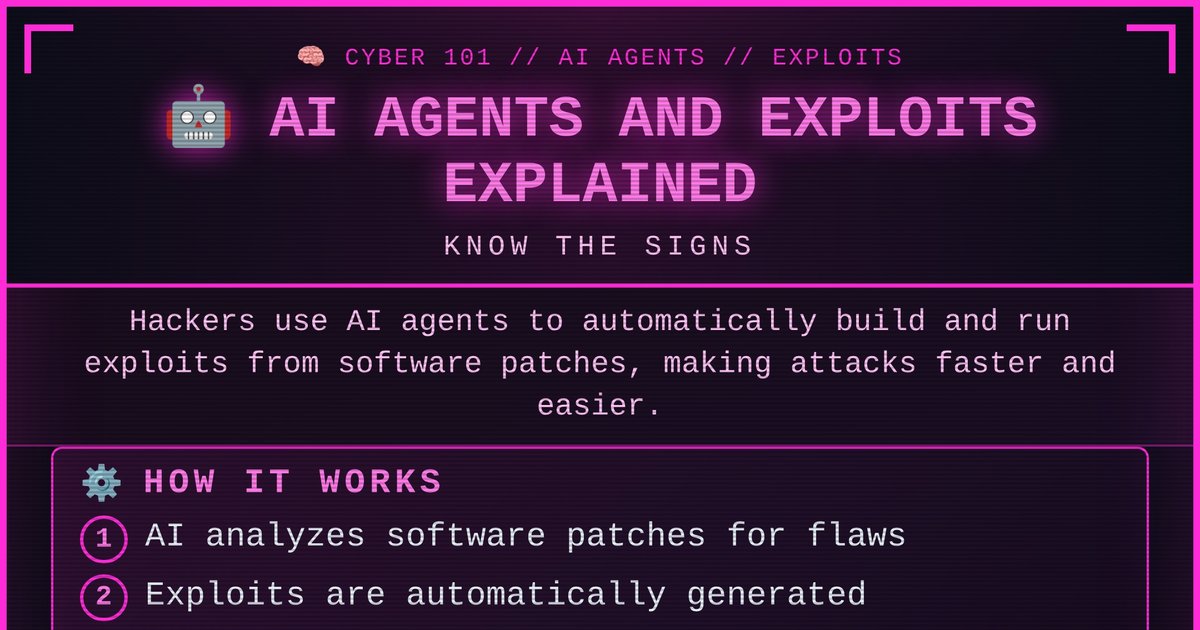
How AI-Powered Hacking Exploits Work & What to Watch For
Learn how attackers use AI agents to automatically find and exploit software vulnerabilities faster than ever—and what your business can do about it.
Threat Detection -
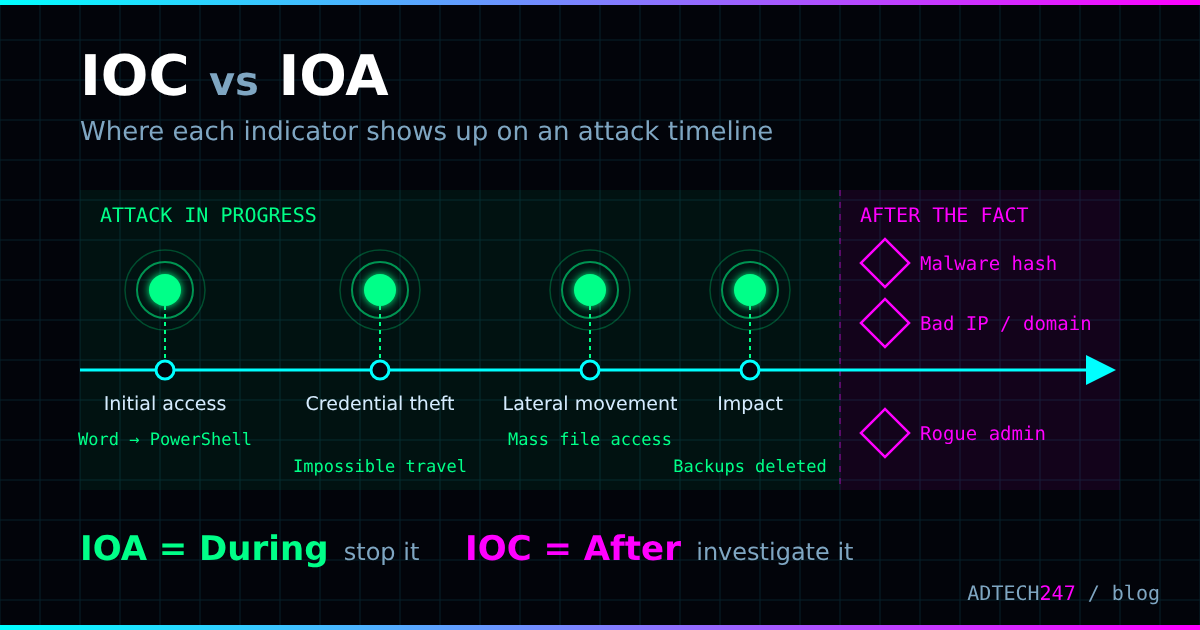
IOC vs IOA: What's the Difference and Why It Matters
Indicators of Compromise tell you an attack happened. Indicators of Attack tell you one is happening now. Here's how to use both.
Threat Detection -

How a Router Failure Crashed the FAA: Lessons for Your Network
Learn why a faulty router brought down FAA systems, and how to prevent similar infrastructure failures in your business through testing and rollback planning.
ThreatIntel